Every October, Cybersecurity Awareness Month gives us a reason to stop and think about how we protect ourselves online.
This year's theme from the National Cybersecurity Alliance is simple: Don't Make It Easy for Them.
We like it because it doesn't ask you to become a cybersecurity expert. It doesn't ask you to understand every new threat or memorize a hundred security rules.
It asks you to do something much more practical: make yourself a little harder to scam.
That can mean using a unique password instead of reusing the same one everywhere. Turning on MFA for your most important accounts. Pausing before clicking an unexpected link. Installing the software update you've been putting off.
Small things. Repeated consistently.
And together, they can make a meaningful difference.
Haven is proud to be a 2026 Cybersecurity Awareness Month Champion, so this October, we're breaking down what "Don't Make It Easy for Them" actually looks like in everyday life.
What does "Don't Make It Easy for Them" actually mean?
Scammers don't need to fool everyone.
They send a message to thousands of people. They build a fake website that looks like a real one. They impersonate a company you know. They create a sense of urgency and wait for someone to click.
The goal isn't necessarily to outsmart you. It's to catch you in an ordinary moment when you're distracted, busy, tired, or simply moving too quickly.
That's why staying safe online isn't about being perfect.
It's about adding a few layers between a scammer and the thing they're trying to get from you.
A strong password makes an account harder to take over.
MFA adds another layer when a password is compromised.
Recognizing a suspicious message gives you a chance to stop before clicking.
Keeping software updated closes known security holes.
And having protection in the browser gives you another layer when a suspicious page is already in front of you.
The goal isn't to make yourself impossible to attack. It's to stop being the easy option.
The four habits that do most of the work
The National Cybersecurity Alliance recommends four simple steps for getting started: use strong passwords and a password manager, turn on multifactor authentication, recognize and report scams, and keep your software updated.
Here's what each one looks like in practice.
1. Use strong, unique passwords
The problem with reusing a password is simple: one compromised account can put other accounts at risk.
If the same password protects your email, shopping account, social media, and bank account, a breach at one service can create a much bigger problem.
You don't need to invent and remember dozens of complicated passwords yourself. That's exactly what password managers are for.
A password manager can generate long, unique passwords for your accounts and remember them for you.
A good rule: if two important accounts share the same password, change one of them.
Start with your email, financial accounts, cloud storage, and any account that could be used to reset another password.
2. Turn on multifactor authentication
A password is only one piece of the puzzle.
Multifactor authentication, or MFA, asks for another way to verify that you're really you. Depending on the service, that might be an authenticator app, a security key, a biometric check, or a one-time code. CISA recommends enabling MFA on accounts that offer it, particularly important accounts such as email and financial services.
Why does this matter?
Because if someone gets your password, MFA can still stand between them and your account.
Start with the accounts that would cause the most damage if someone got into them:
Your primary email
Banking and financial accounts
Cloud storage
Social media
Work accounts
Accounts containing personal or sensitive information
And when a service offers a stronger, phishing-resistant MFA option, consider using it.
3. Learn to recognize scams before you click
This one is getting harder.
Scams used to be easier to spot because they were full of obvious spelling mistakes, strange formatting, or suspicious-looking addresses.
Today, a scam can look polished.
The logo can be right.
The branding can be right.
The message can sound like someone you know.
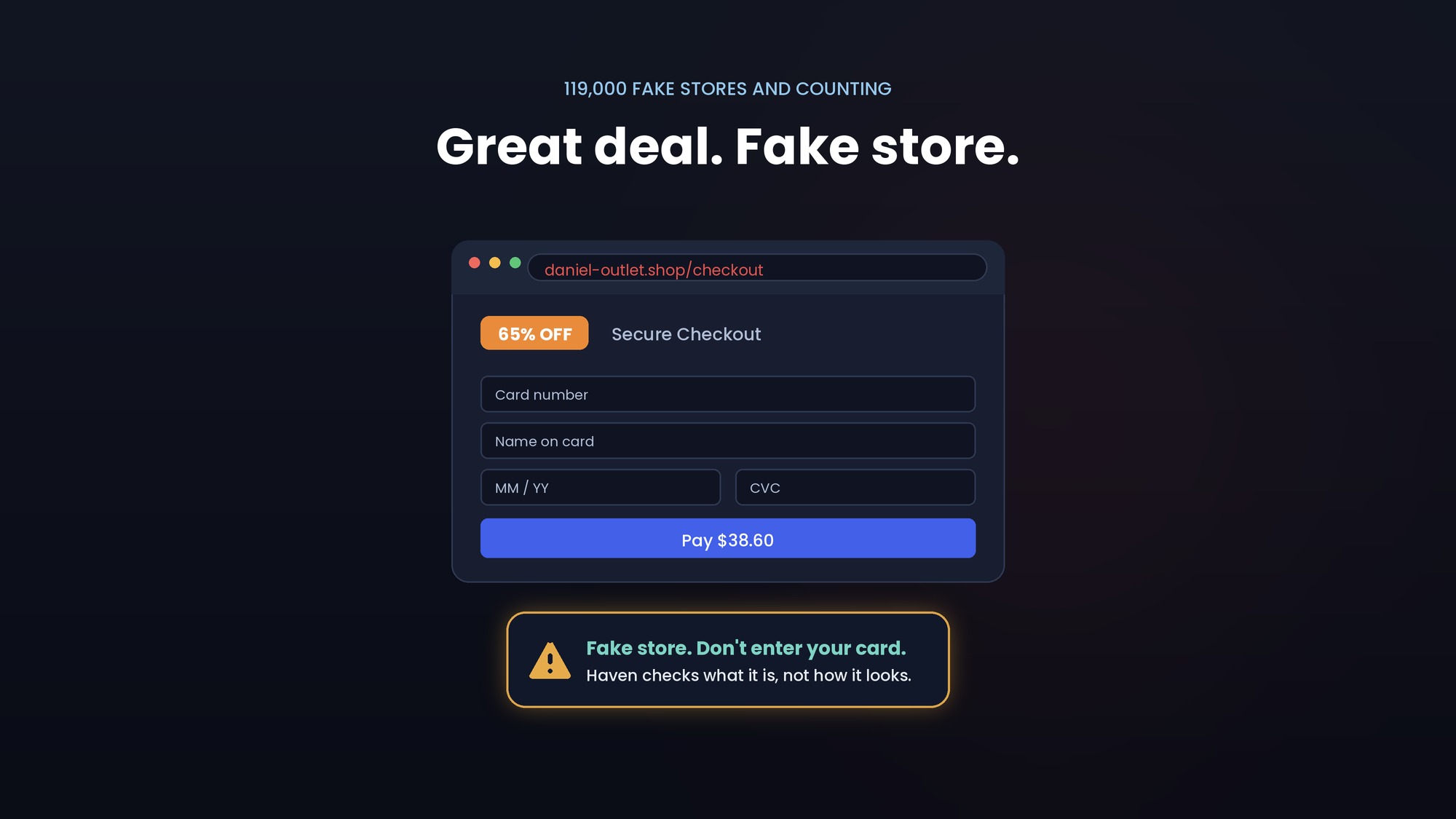
The website can look almost identical to the real thing.
So instead of asking only, "Does this look real?", ask:
"Was I expecting this?"
A few warning signs deserve a pause:
Someone is creating urgency: "Your account will be closed today."
You're being asked to log in through an unexpected link.
Someone is asking for money, gift cards, cryptocurrency, or payment information.
A message claims to be from a company you use but sends you somewhere unexpected.
The web address doesn't match the company you're trying to reach.
Someone asks you to bypass a normal process or keep something secret.
And remember: you don't have to decide immediately.
If a message says your bank needs you to act right now, open your bank's app yourself instead of following the link.
If a package delivery message looks suspicious, go directly to the carrier's website.
If a coworker sends an unusual payment request, verify it through another channel.
A few seconds of friction can be valuable.
And when you encounter a scam, report it. Reporting suspicious activity to the relevant platform, service provider, financial institution, or government agency can help others avoid the same scheme.
4. Stop ignoring software updates
That notification you've been dismissing for three weeks?
It might be fixing a security vulnerability.
Software vulnerabilities can give attackers opportunities to compromise devices, accounts, or data. CISA recommends keeping software and operating systems updated and turning on automatic updates where possible.
The easiest approach is also the least exciting:
Turn on automatic updates.
Your operating system.
Your browser.
Your phone.
Your important apps.
You don't need to become an expert on every security patch. You just need to let the people maintaining the software fix known problems.
Phishing isn't just an email problem anymore
For years, "watch out for phishing" basically meant "be careful with your inbox."
That's no longer enough.
A scam can start almost anywhere you spend time online:
Text messages:
"Your package couldn't be delivered. Confirm your address."
QR codes:
"Scan here to pay your parking ticket."
Social media:
"Your account violated our policy. Appeal now."
Direct messages:
A friend, creator, recruiter, or brand suddenly sends you a link.
Calendar invitations:
An unexpected meeting appears with a link inside.
Shared documents:
A notification says someone shared a file with you.
Search engines:
You search for a company and click a sponsored result that looks legitimate.
Phone calls:
Someone claiming to be your bank or a support representative tells you to visit a website while you're on the phone.
These attacks have different names. Smishing. Quishing. Vishing. Search poisoning.
But from the user's perspective, they often follow the same pattern:
Something gets your attention → you click or scan → a browser page opens → the page asks you to trust it.
That's the part worth paying attention to.
The browser is where the scam often becomes real
The message isn't always the final destination.
It's the delivery mechanism.
A text sends you to a website.
A QR code sends you to a website.
A social media message sends you to a website.
A search result sends you to a website.
An email sends you to a website.
And once you're there, the scam has a new opportunity to convince you that everything is normal.
The page might look like your bank.
It might look like Microsoft.
It might look like Google.
It might look like a delivery company.
It might even use the exact colors, logos, language, and layout you've seen hundreds of times before.
That's why "I would never click a phishing email" isn't quite enough anymore.
The important question is what happens after the click.
Before entering a password, payment information, or other sensitive information into a page you reached unexpectedly, stop and check where you are.
Look at the domain.
Think about how you got there.
Ask whether the page is actually where you intended to go.
And if you're still unsure, navigate to the service directly instead of continuing through the link.
One more layer for the moment you actually click
Good cybersecurity isn't one tool.
Your password manager doesn't replace MFA.
MFA doesn't replace software updates.
Software updates don't replace good judgment.
And knowing how to spot scams doesn't mean you'll never click one.
Sometimes you will.
You'll be distracted.
You'll be in a hurry.
You'll see a message that looks completely legitimate.
You'll click before you think.
That's human.
That's also the moment where another layer of protection can matter.
That's what we built Haven for.
Haven works in your browser to help verify the pages you're visiting and flag suspicious activity before you hand over sensitive information. It can also flag risky extensions and help you understand when something in your browser deserves a closer look.
It doesn't replace the four habits above. It adds another layer around one of the most important moments in the chain: when a link becomes a page and you're deciding whether to trust it.
Why Haven is free for individuals
There's one more part of "Don't Make It Easy for Them" that matters to us.
Making security easier means making it accessible.
The more people who have protection, the fewer easy targets there are.
That's why Haven is free for individuals.
Not a limited-time trial. Not freemium bait. Just free protection for individual users.
Because the people who need protection shouldn't have to decide whether it's worth paying for.
Your parents shouldn't need a cybersecurity budget.
Your friends shouldn't need to understand every threat before they can protect themselves.
And you shouldn't need to be an expert to have another layer of protection in the browser.
More people protected. Fewer easy targets.
That's the direction we're trying to move in.
Don't make it easy for them
You don't need to overhaul your entire digital life this October.
Start with one thing. Use a password manager. Turn on MFA. Update your devices. Pause before clicking an unexpected link. And if something sends you to a page you're not sure about, take a second to verify where you are before entering anything sensitive. Then help someone else do the same.
Set up MFA with your parents.
Help a friend get a password manager.
Send this guide to the person who always says, "I can tell when something's a scam."
Cybersecurity doesn't have to be complicated.
It just has to become a habit.
Don't Make It Easy for Them.
Haven is a proud 2026 Cybersecurity Awareness Month Champion. Haven is operated by MirrorTab, Inc.