Good protection is mostly invisible. Haven checks links and scans emails in the background all day, and most of the time you never notice, which is exactly the point. Still, it is nice to see the work every now and then.
What is new
Your account now has an activity view. It gathers the quiet work Haven has been doing for you into one place: how many emails it scanned, how many links it checked, and how many risks it flagged along the way.
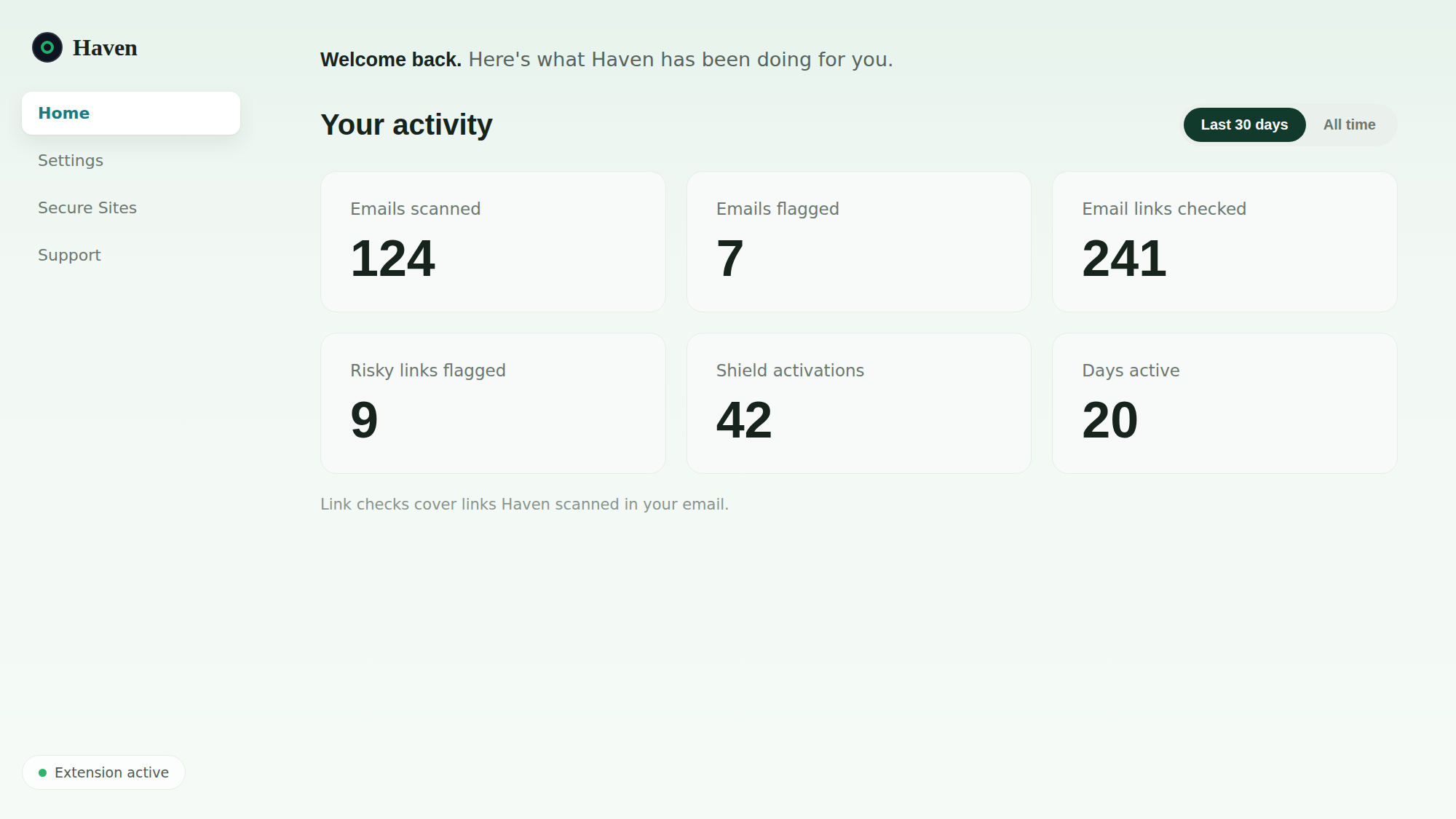
You can look at the last 30 days or switch to all time. Each number is a running count of something Haven quietly did for you, from links checked to risks flagged.
Where to find it
Open your Haven account and it is right there on your home page. There is nothing to set up. The counts fill in on their own as Haven does its work.
Who it is for
Everyone with a Haven account who is a little curious about what is happening behind the scenes. The activity view is part of your account, and free for personal use.
Try it
New to Haven? Add Haven to Chrome, and after a week or two, check your activity to see how many quiet checks have added up.