We have all been taught to spot phishing the same way: look for the telltale signs. Bad spelling. Clumsy design. A logo that is slightly off. That advice made sense when fakes looked fake. It does not hold up anymore, and a wave of TikTok phishing making the rounds right now is a clean illustration of why.
As the researchers at Malwarebytes put it in their breakdown of the campaign, "phishing pages don't need to be sophisticated. They just need to look convincing enough to make you trust them." That is the whole game now. Not clever code, not a technical exploit. Just a page that looks like the real thing, attached to a story that makes you want to act. Here is how it plays out on TikTok, and why it is really a much bigger problem than one app.
What TikTok phishing looks like
It usually starts with a message: an email, a DM, a text. The message is the hook, and it comes in two flavors.
The first is fear. Your account has been suspended. You have received a copyright or community-guidelines strike. Something is wrong and you need to log in to fix it, now. The second is reward. You are eligible for a verified badge. You have qualified for a creator payout or a brand deal. Congratulations, just confirm your details to claim it.
Either way, the link leads to a page built to look like TikTok. Sometimes it is a copy of the TikTok login screen. Sometimes it is a fake "Verification Center" that congratulates you on your performance and walks you through a form. Whatever the wrapper, the goal is identical: get you to type your credentials. When you do, your username, phone number or email, password, and even the one-time login code from your authenticator can go straight to the scammer.
And once they are into your account, it does not stop with you. They can impersonate you to your followers, push the same scam to your contacts, or try your reused password on your email and bank.
The uncomfortable part: none of this is sophisticated
Here is what makes this campaign worth paying attention to, and it is the point that goes well beyond TikTok.
None of it is technically advanced. Copying the look of a login page, the exact fonts, colors, layout, and logo, is easy, and tools to do it are cheap and widely available. The counterfeit does not need a single flaw to succeed. What does the heavy lifting is the story wrapped around it. A suspension warning manufactures urgency. A verified-badge offer manufactures desire. Both are designed to do one thing: get you to act before you stop and check where the link actually took you.
That is the real shift. Phishing used to fail because the fake gave itself away. Now the fake is convincing, and the pressure is doing the work. "Look for the red flags" quietly assumes there are red flags to find. Increasingly, there are not.
We just saw the same playbook on Meta
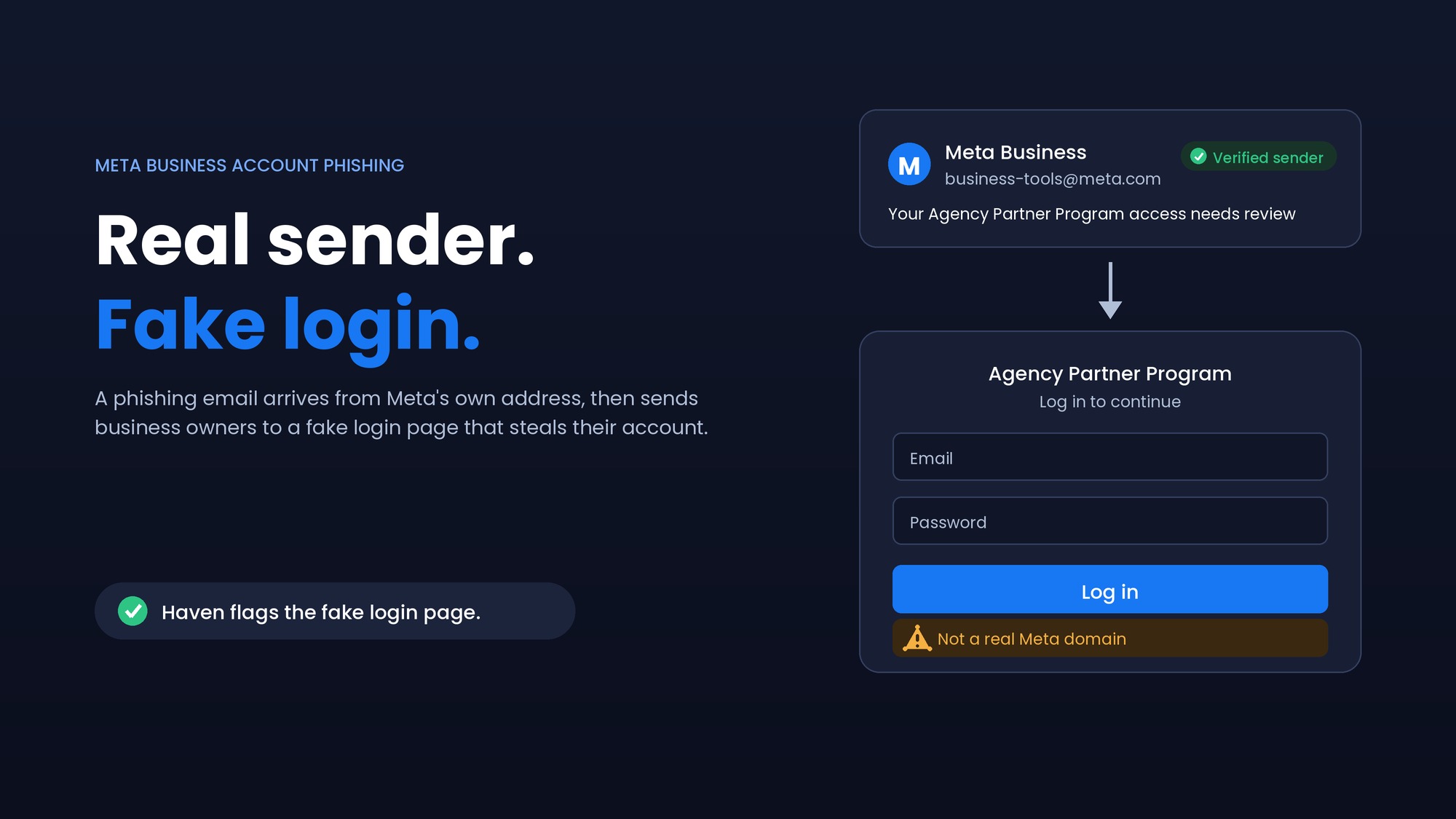
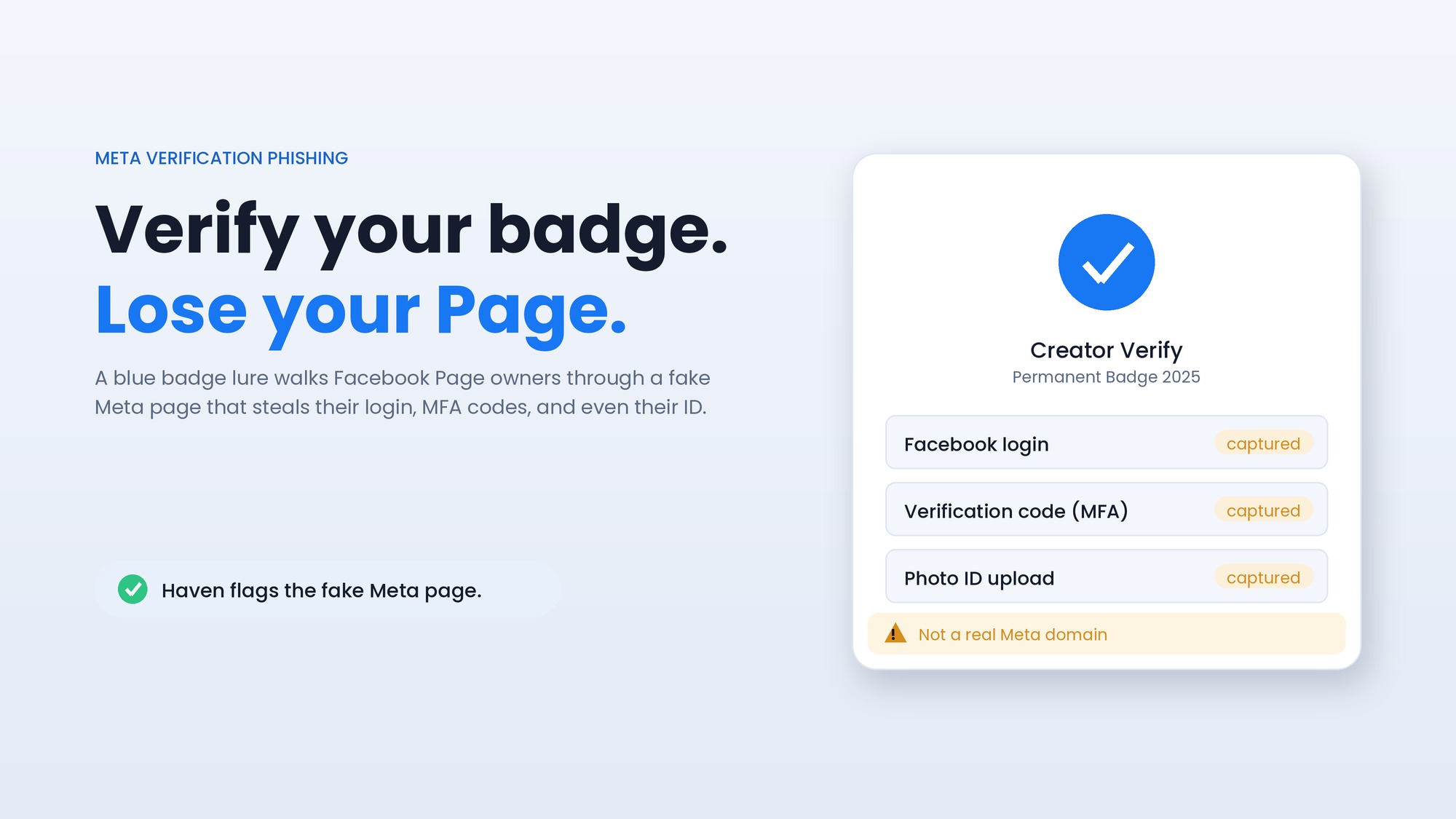
If this pattern feels familiar, it should. We wrote recently about a nearly identical scheme on Facebook and Meta, where scammers dangled the blue verification badge to lure Page owners onto a fake Meta login and harvest their credentials and security codes.
Different platform, same machine: borrow a trusted brand, wrap it in a story people want to say yes to (a badge, a payout, an urgent fix), and point them at a page that looks completely real. TikTok today, Meta last month, your bank or your email next. The brand on the page is interchangeable. The technique underneath does not change, because it does not have to. It already works.
Why "just spot the fake" stopped working
Think about what you are actually asked to do at the moment of a phishing attack. A page that looks exactly like TikTok is in front of you. The message that brought you here felt plausible. You have a few seconds and a reason to hurry. And the one thing that would reliably tell you the page is fake, its true identity, is buried in an address bar you are not really looking at, possibly on a phone where the full web address is hard to see at all.
That is an unfair test, and people fail it constantly, not because they are careless, but because the attack is specifically engineered so that looking closely does not help. The visible surface is a perfect copy. The only thing that is not a copy is what the page actually is underneath, and that is exactly the part that is hardest to judge in the moment.
How Haven helps
This is the gap Haven is built for. Haven is a browser extension that does not rely on the page looking suspicious, because modern fakes do not. Instead of trusting appearances, it analyzes the actual page in front of you and checks whether it truly is who it claims to be. When a page imitates TikTok's login or a "verification" screen on a domain that is not really TikTok, Haven flags it as fake before you type anything, no matter how polished the copy is or how you got there.
That is the key difference from the advice we all grew up on. "Spot the red flags" asks you to catch a fake that has been carefully built to have none. Haven does not look for flaws in the disguise; it checks the identity behind it, which is the one thing the attacker cannot fake away. If you are ever unsure about a link before you tap it, you can also paste it into Haven's free link checker.
To be clear about scope: Haven works at the page, in your browser. It flags a fake TikTok or verification page before you hand anything over. It is not a password manager or an account-recovery service, and it cannot undo credentials you have already entered on a fake site. What it does is make sure you rarely reach that point, by catching the counterfeit at the moment it counts.
How to protect your TikTok account
The habits that actually work are simple, and they line up with the researchers' own advice:
Do not log in through a link in an unexpected email, DM, or text. Open the TikTok app or type tiktok.com yourself, and check your account there.
Treat any message about a suspension, strike, or verification eligibility as unverified until you have confirmed it inside the app. Urgency and flattery are both bait.
Check the address before you enter anything. Make sure you are actually on tiktok.com, and remember a fake page can look identical to the real one.
Use a password manager. It will not autofill your TikTok password on a look-alike domain, which is a quiet, reliable warning sign.
Turn on two-factor authentication, so a stolen password alone is not enough, and be just as protective of the one-time code as of the password itself.
If you already entered your details on a suspicious page, change your TikTok password immediately, sign out of unfamiliar devices, and change that password anywhere else you reused it.
The lesson underneath the TikTok example is the one worth keeping: you can no longer trust that a scam will look like a scam. The page will look real. The story will make sense. The only durable defense is to stop judging pages by how they look, and start confirming what they actually are, either by going to the source yourself, or by having something in your browser that checks for you.
About Haven
Haven is a browser extension that helps you make safer trust decisions online, before a scam can cost you anything. It works at the moment you are about to click a link or enter your password, flagging fake and impersonated login pages, suspicious links, and lookalike sites. Rather than only checking a page against a list of known-bad sites, Haven analyzes the actual page in front of you, so it can catch brand-new and convincing fakes that other tools miss.
Haven is free for individual use. For teams, Haven for Business extends this browser-level protection across every employee. Haven is operated by MirrorTab, Inc.