Updated July 2026
Thousands of Robinhood users received a convincing security alert this weekend from what appeared to be Robinhood's official email address. Here's what actually happened, what to do if you got it, and why it was so hard to spot.
Is the Robinhood 'recent login' email real?
No. The "Your recent login to Robinhood" email is a phishing scam. Attackers sent it through Robinhood's own email system by abusing the account-creation flow, so it passed spam filters and carried real Robinhood branding. But the "review activity" link leads to a fake login page built to steal your password and two-factor code. Do not click any links in it.
What to Do If You Got the Robinhood Phishing Email
Before anything else - do not click any links in the email, even now.
If you didn't click anything: delete the email. Your account was not compromised.
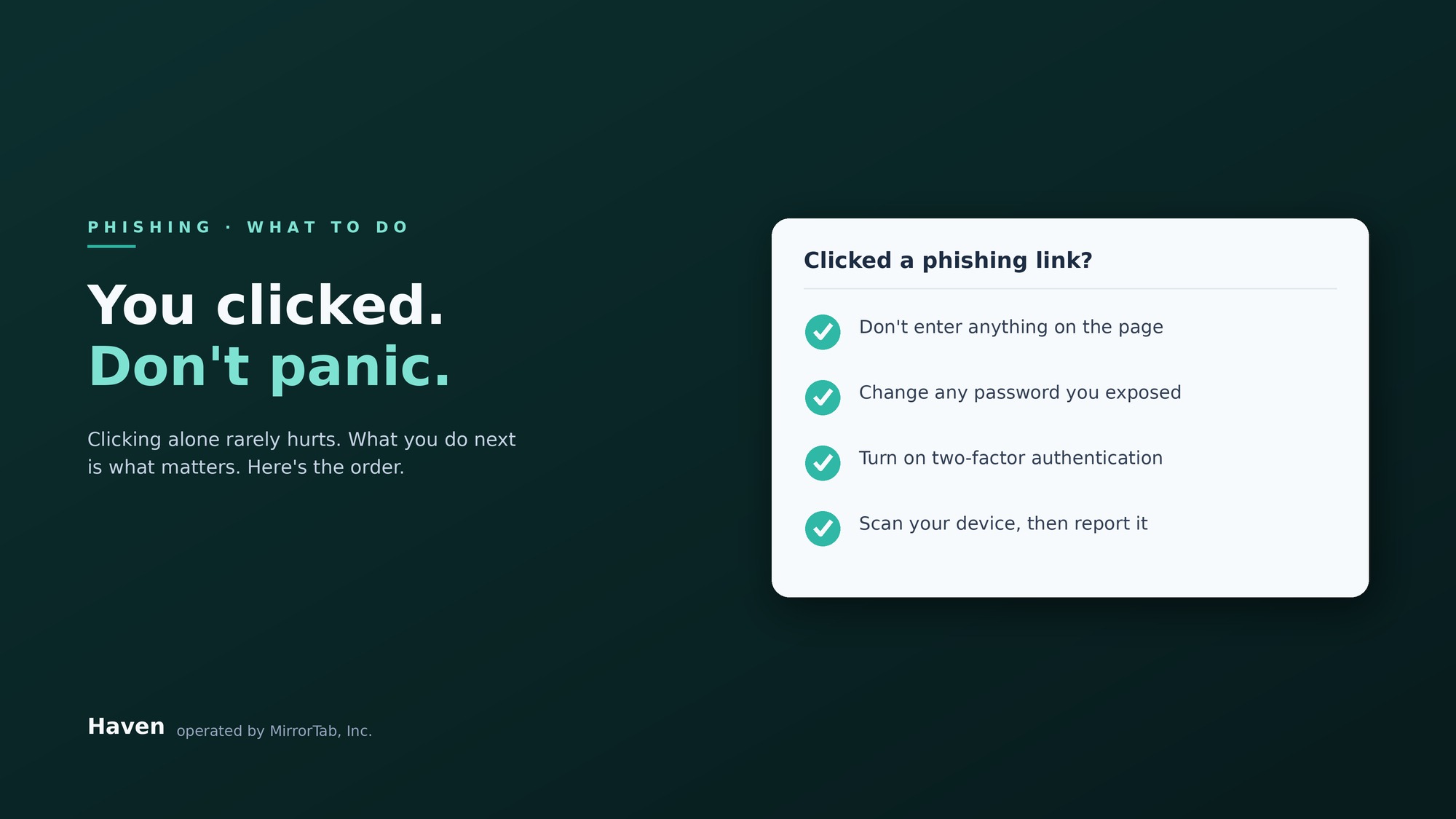
If you clicked the link but didn't enter any information:
Change your Robinhood password immediately by going directly to robinhood.com - not through any link in the email.
Run a malware scan on your device as a precaution.
If you entered your email, password, or two-factor code on the page that appeared:
Change your Robinhood password immediately at robinhood.com.
Change the same password anywhere else you use it.
Enable two-factor authentication on your account if you haven't already.
Monitor your account activity closely over the next several weeks.
If you transferred any assets or funds:
Contact Robinhood support directly through their app or website
File a report with the FBI's Internet Crime Complaint Center at ic3.gov.
To report the email to Robinhood directly: forward it to reportphishing@robinhood.com.
If you're unsure whether a link in the email is safe, you can check it using Haven's free link checker before clicking.
The Robinhood Hack: What Actually Happened
On the evening of April 26, thousands of Robinhood users received an email with the subject line "Your recent login to Robinhood." The email appeared to come from noreply@robinhood.com — Robinhood's actual domain. It had real Robinhood branding. It passed Gmail's spam filters. It passed standard email authentication checks. Many recipients had no reason to doubt it.
The emails varied in their details — different login locations, different device descriptions — but most included a button or link prompting users to review the suspicious activity on their account. Clicking that link led to a fake page asking for login credentials and sometimes two-factor codes.
Robinhood confirmed the attack on April 27, stating that some customers received a falsified email from noreply@robinhood.com and that the phishing attempt was made possible by an abuse of their account creation flow. The company confirmed it was not a breach of their systems or customer accounts.
How Scammers Used Robinhood's Own Email System
This wasn't a standard phishing email with a spoofed domain. It was more sophisticated than that.
According to security researchers and reporting from Help Net Security, attackers manipulated the device and browser information submitted when creating a new Robinhood account, injecting malicious HTML and a phishing link into fields where normal metadata would appear. Robinhood's system stored that data without filtering it, and when it automatically sent a login notification email, it pulled the poisoned content directly into a genuine Robinhood email template.
To reach victims' inboxes, attackers exploited a well-known Gmail behavior: Gmail treats email addresses with and without dots in the username as identical. So an email registered to jo.hn.doe@gmail.com delivers to johndoe@gmail.com. Attackers used dot variations of real users' Gmail addresses to create new Robinhood accounts, triggering real login notification emails that landed in real inboxes.
The result was an email that came from Robinhood's own servers, passed every standard authentication check, displayed Robinhood's real branding, and was functionally indistinguishable from a legitimate security alert — except for the link it asked you to click.
Why the Robinhood Scam Email Bypassed Every Filter
The standard advice for spotting phishing — check the sender's domain, look for bad grammar, watch for suspicious links — did not apply here. The domain was real. The grammar was fine. Most links in the email pointed to legitimate Robinhood pages. The only malicious element was the "review activity" button itself, and by the time many people thought to check the URL behind it, they had already clicked.
This is the structural problem with security tools built on databases of known threats. A phishing page that launched Sunday morning has no threat history. It passes every filter.
It's why Google's filters have a structural limitation against brand new attacks and why antivirus has the same gap.
For a full guide on spotting fake emails, see How to Tell if an Email is Real.
Haven Now Covers Robinhood, Free for Everyone
We added Robinhood to Haven's coverage this week. Haven works at the browser level, in the exact moment between clicking a link and entering your information. It flags suspicious pages and warns you before you hand anything over to a site that isn't what it claims to be, including newly launched pages with no threat history, the kind that slip right past filters built on known threats.
And Haven is now completely free for individuals. No trial, no credit card need, just download it and you're covered. It takes less than 30 seconds to install.
FAQs
Is the Robinhood "recent login" email real?
No. The "Your recent login to Robinhood" email is a phishing scam. It was sent through Robinhood's own email system by abusing the account-creation flow, which is why it passed spam filters and showed real Robinhood branding. The only malicious part is the "review activity" link, which leads to a fake login page. If you were not actively signing in, treat the email as fraudulent and do not click anything in it.
Did Robinhood get hacked?
No. Robinhood confirmed on April 27 that this was not a breach of its systems or customer accounts. Attackers abused Robinhood's account-creation flow to make its email system send falsified login-notification emails. Your account was not compromised simply because you received the email. It is only at risk if you clicked the link and entered your credentials.
Why did the phishing email come from noreply@robinhood.com?
Because it really was sent from Robinhood's servers. Attackers injected a phishing link into the device and browser fields submitted when creating a new account, and Robinhood's system pulled that content into a genuine login-notification template. They also used Gmail's dot trick (john.doe@gmail.com and johndoe@gmail.com deliver to the same inbox) to trigger those emails to real users. That is why it passed standard email authentication checks.
What should I do if I clicked the link or entered my details?
If you only clicked but entered nothing, change your Robinhood password directly at robinhood.com and run a malware scan. If you entered your email, password, or two-factor code, change your Robinhood password immediately, change that password anywhere else you use it, enable two-factor authentication, and monitor your account closely. If you moved any funds, contact Robinhood support and file a report at ic3.gov.
How can I tell if a Robinhood email or link is safe?
Do not judge by the sender or branding, since this scam faked both. Never use links inside the email. Go to robinhood.com directly by typing the address or using a saved bookmark. If you want to check a specific link before clicking, you can run it through Haven's free link checker.
Does Haven protect against scams like the Robinhood phishing email?
Haven works at the browser level, at the moment between clicking a link and entering your information. It flags suspicious and fake login pages and warns you before you hand anything over, including newly launched pages that have no threat history, which is exactly what filters based on known-bad lists miss. Haven added Robinhood to its coverage, and it is free for individual use.